
Etsy listing templates. Set it up once. Every listing follows it.
A master listing is the template every listing starts from: category, photos, variations, price and base copy. Copy one of your own Etsy listings or start blank, and every new listing in that shop follows it.
- 1 masterper kind of product
- 70phone models in the built-in master
- Photo orderset once per shop
- Every shopcan share one master
It still looks like your shop. Every time.
In Shop Pilot, an Etsy listing template is called a master listing. It holds what every listing of one kind of product shares: the Etsy category, the photos and their order, the variations and prices, the personalization question and the base copy.
Copy one of your existing Etsy listings to start, or start blank. The built-in phone case master is ready to use, with Etsy's phone case category, 70 phone models with five designs each, and a personalization question.
When Shop Pilot makes a listing, the AI writes the title, 13 tags and description for the designs in it, and everything else comes from the master. See Etsy listing automation.
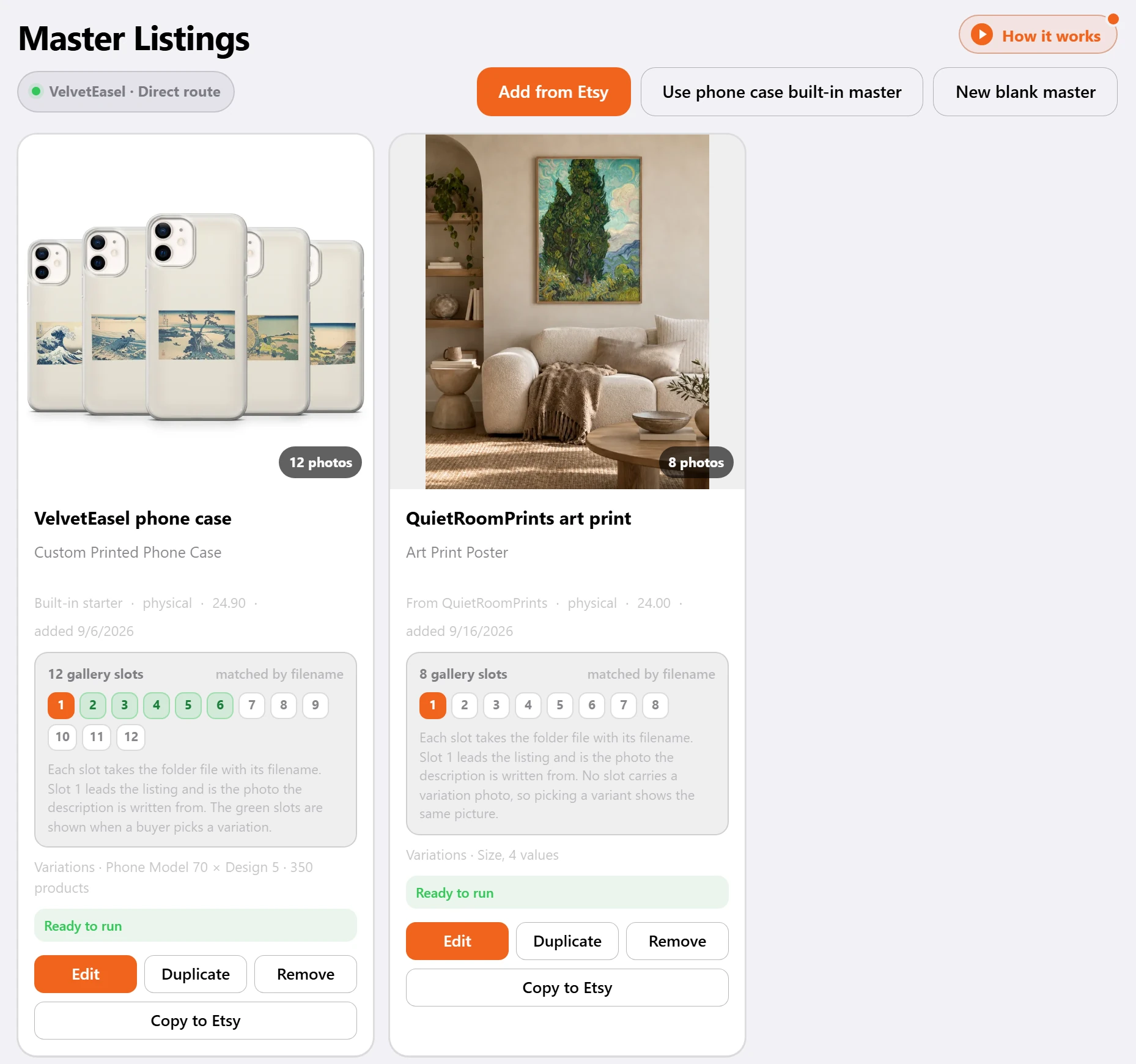
Everything a listing shares. Set once.
Master Listings
A master is the template every listing starts from: category, photos, variations, price and base copy. Copy one of your Etsy listings, or start blank.
Built-in phone case master
Ready to use, with Etsy's phone case category, 70 phone models with five designs each, and a personalization question.
Photo order
Give each gallery spot a photo once. Every listing puts the matching file in the same spot, so the right photo always leads.
Variations
Paste phone models in bulk and give each one its own price if you need to.
Personalization
Ask buyers for a name or a note, right on the listing.
Shop settings from Etsy
Pick the shop's shipping profile, return policy and processing profile once. Every listing uses them.
Writing style
Choose how titles are built, how many tags and hashtags to use, words to avoid and words to always include.
Niches
Phone cases, wall art or anything else. Each niche keeps its own folder, master listing and writing style.
Phone models and sizes, each with its own price.
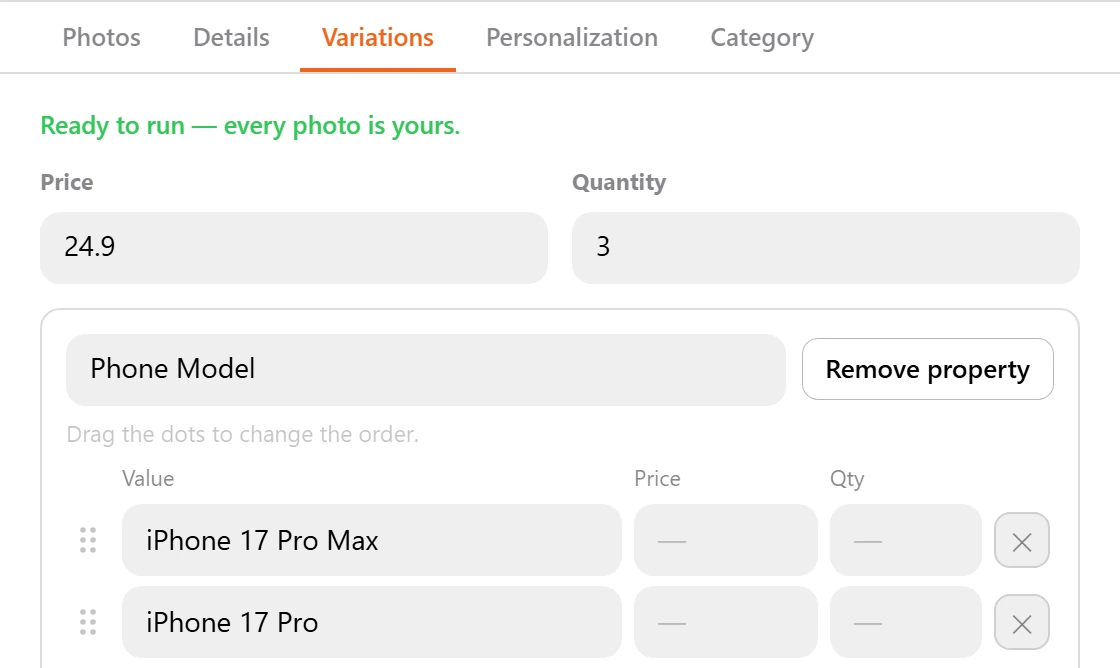
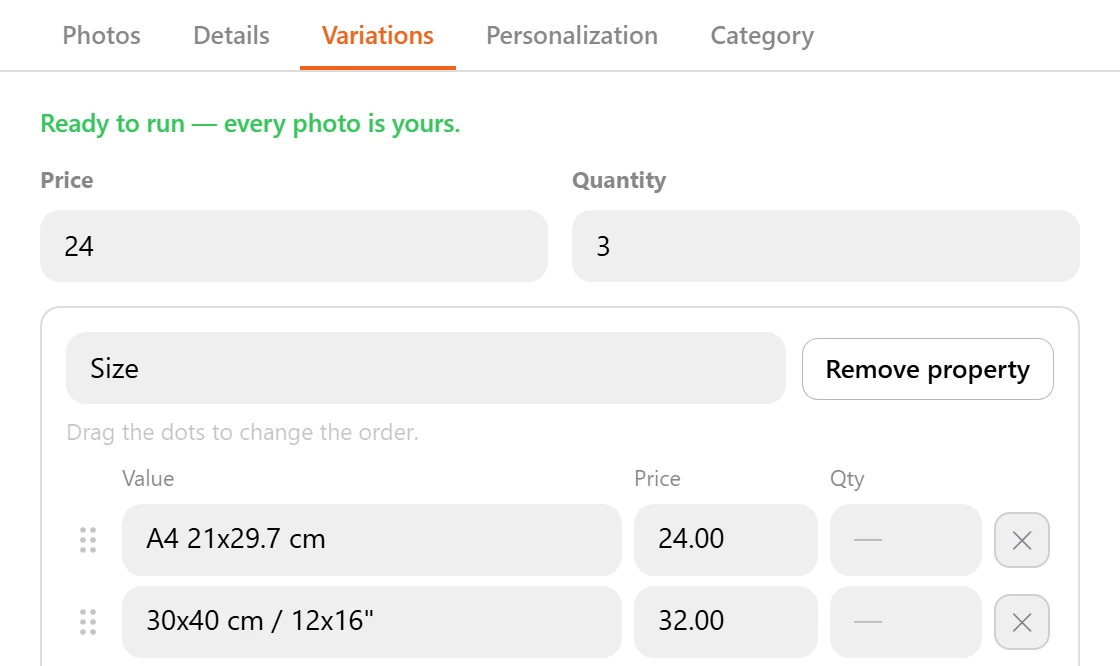
The right photo always leads.
Give each gallery spot a photo once. Every listing puts the matching file in the same spot, so the photo you meant to be first is the one buyers see first.
Files are matched to the master's photo list by name. Anything unmatched stays behind in the folder instead of being uploaded in a random slot, and the run tells you which images were left behind and why.
Before a run starts, you see what it will build: which folders are included, which shop each one goes to, and what will be skipped. A missing master or a folder with no images is named up front.
One master, every shop.
A master listing works across every shop you run. Build it once and point it at whichever shop you are listing to. Sections, shipping profiles and the section names Etsy assigns are filled in per shop when the listing is made.
One master listing or writing style can serve many shops. Duplicate it when one shop needs a change. See multiple Etsy shops.
Set up a master in four steps.
Start from a listing
Copy one of your Etsy listings into a master, or start blank. Phone case sellers can start from the built-in master.
Set the photos
Give each gallery spot a photo once, so the right photo always leads.
Set variations and prices
Paste phone models in bulk or add sizes, each with its own price.
Pick the Etsy settings
Choose the shipping profile, return policy and processing profile once. Every listing uses them.
What changes when every listing starts from a master.
Shop Pilot's master listings are Etsy listing templates that fill themselves in for every new listing.
| Task | Copying a listing by hand | With a master listing |
|---|---|---|
| A new listing | Copy an old one and change everything that differs | Starts from the master, with the copy written for its designs |
| Variations | Re-add every model or size and its price | Taken from the master, every time |
| Photo order | Drag the photos into place | Each file lands in its own spot |
| Etsy settings | Pick shipping, returns and processing again | Picked once for the shop |
Templates in, listings out.
- Next
Etsy listing automation
The AI writes the copy; the master fills in the rest.
Etsy listing automation - Many shops
One master, every shop
Each shop keeps its own prices, photo order and writing style.
Multiple Etsy shops - Live listings
Bulk edit
Change titles, tags and prices on listings already on Etsy.
Etsy bulk edit
How do I make an Etsy listing template?
In Shop Pilot, create a master listing: copy one of your Etsy listings or start blank, then set its category, photos, variations, prices and base copy. Every new listing in that shop starts from it.
What is a master listing?
The template every listing starts from: category, photos, variations, price and base copy. Each kind of product, like phone cases or wall art, can have its own.
Is there a ready-made template for phone cases?
Yes. The built-in phone case master is ready to use, with Etsy's phone case category, 70 phone models with five designs each, and a personalization question.
Do all my listings get the same title?
No. The master holds the base copy, and the AI writes each title, the 13 tags and the description for the designs in that listing, in the shop's writing style.
Can I give each phone model its own price?
Yes. Paste phone models in bulk and give each one its own price if you need to.
How does photo order work?
Give each gallery spot a photo once. Files are matched to the master's photo list by name, so every listing puts the matching file in the same spot.
Can one template serve several shops?
Yes. A master listing works across every shop you run, with sections and shipping profiles filled in per shop. Duplicate it when one shop needs a change.
Can I ask buyers for personalization?
Yes. Ask buyers for a name or a note, right on the listing.
What about shipping and returns?
Pick the shop's shipping profile, return policy and processing profile once. Every listing uses them.
Can I try it free?
Yes. The 5-day free trial needs no card and includes 10 listings a day on your own shop.
Set it up once. List for months.
Five days free, no card. Connect your shop and have your first listings live today.