
Schedule Etsy listings. They go up even with your computer off.
Plan listings on a calendar. Shop Pilot posts them on the days and times you pick, live or as drafts, so your shop gets new listings every day, even when you are away.
- Calendardays and times you pick
- Computer offlistings still go up
- Live or draftper plan
- 10 a dayin the free trial
Post every day. Even when you're away.
Shop Pilot's Listing Scheduler is an Etsy listing scheduler: you plan listings on a calendar, and they go up on the days you pick, even with your computer off.
A plan can make drafts or post live. One shop might get drafts at 09:00 on weekdays, to check before they go on sale, and posters published at 18:00 twice a week.
Each scheduled listing is made the same way as one you post now: the AI writes the title, 13 tags and description, and the price, shipping and variations come from the shop's master listing. See Etsy listing automation.
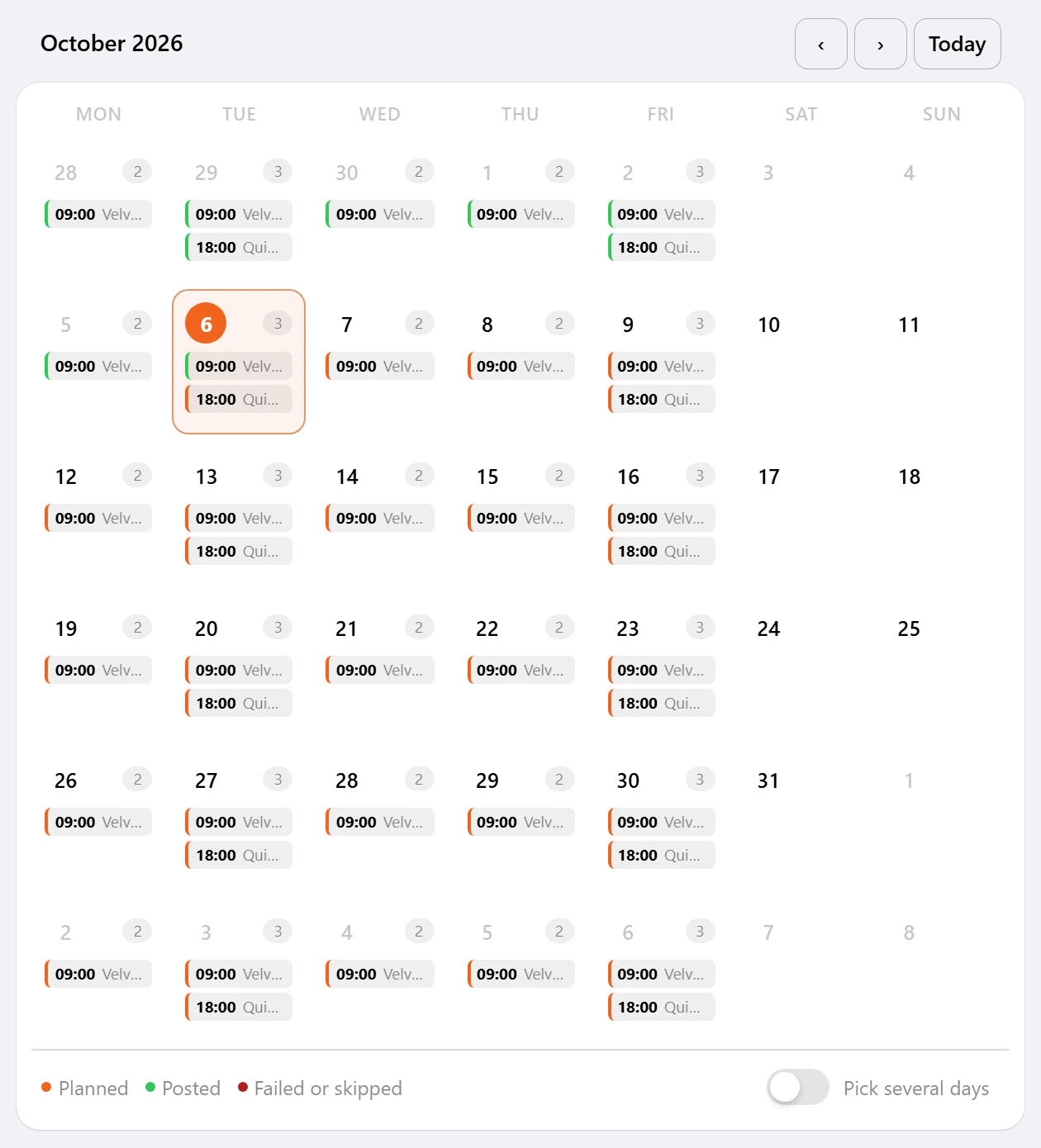
See what went up today.
Each plan shows what it has posted and what is still to come.
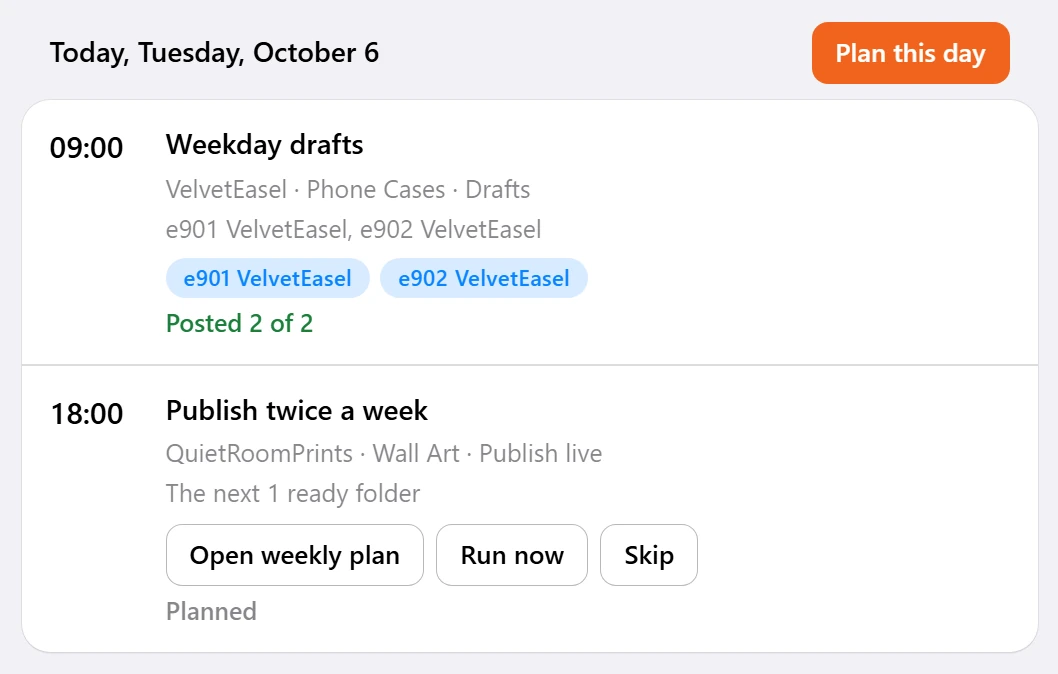
Plan it once. It keeps posting.
Get the folders ready
Make the mockups for each listing in Shop Pilot's mockup step, or add your own. Each folder becomes one listing.
Plan the days
Pick the days and times on the calendar, and whether the plan makes drafts or posts live.
Shop Pilot posts them
On the day, each listing is written and filled in from your shop's setup and goes up on Etsy, even with your computer off.
Check the day
See what each plan posted today and what is planned next.
Find out when your shop sells. Not when a blog says.
Advice about the best time to post on Etsy is generic. The Listing Scheduler lets you test it on your own shop: schedule similar listings at different times and see when yours get the most traction.
Then read the numbers in Analytics: revenue, orders, views and favorites for each shop you run, today, the last 7 or 30 days, or all time.
Everything in the scheduler.
Calendar
Plan listings on a calendar, by day and time.
Drafts or live
A plan can leave drafts on Etsy for you to check, or post live.
Computer off
Listings go up on the days you pick, even with your computer off.
Same listing, same rules
A scheduled listing is written and filled in like one you post now: copy, prices, shipping and photo order from the shop's setup.
No double listings
Folders that are already listed are marked, so the same listing does not go up twice by mistake.
Listing Progress
Watch each listing go through its steps, then open it to check the photos and copy.
Review Drafts
Look through your drafts inside Shop Pilot, then publish or delete the ones you choose.
Analytics
Revenue, orders, views and favorites for each shop: today, the last 7 or 30 days, or all time.
What changes when the calendar does the posting.
Shop Pilot is an Etsy listing scheduler that also writes and fills in each listing it posts.
| Task | By hand | With the Listing Scheduler |
|---|---|---|
| Posting every day | Sit down and list by hand each day | Planned once on the calendar |
| When you are away | Nothing new goes up | Listings go up even with your computer off |
| Best time to post | Follow generic advice | Test times on your own shop |
| Checking first | List now and check later | Drafts first, when you want them |
Before and after the post.
- The listing
Etsy listing automation
The AI writes the title, 13 tags and description; the rest comes from your shop's setup.
Etsy listing automation - After posting
Bulk edit live listings
Change titles, tags and prices on many listings at once, previewed first.
Etsy bulk edit - Guide
How to schedule Etsy listings
Plans, times and drafts: how to keep a shop posting every day.
Read the guide
How do I schedule Etsy listings?
Get your listing folders ready in Shop Pilot, open the Listing Scheduler and plan the days and times on the calendar, as drafts or live. Shop Pilot writes and posts each listing on the day, even with your computer off.
Does my computer need to be on?
No. Scheduled listings go up on the days you pick, even with your computer off.
Can scheduled listings go up as drafts?
Yes. A plan can make drafts for you to check and publish, or post live.
What is the best time to post on Etsy?
It depends on your shop and your buyers. Schedule similar listings at different times and see when your own shop gets the most traction, instead of relying on generic advice.
Are scheduled listings written the same way?
Yes. The AI writes the title, 13 tags and description for the designs in each listing, and the price, shipping and variations come from the shop's master listing.
Can the same listing go up twice?
No. Folders that are already listed are marked, so the same listing does not go up twice by mistake.
Can I post a listing straight away instead?
Yes. Press Create + Publish Live to post now, or Create Draft to check it on Etsy first.
Can you schedule listings on Etsy itself?
Etsy's listing form offers Publish or Save as draft, with no date to pick. The Listing Scheduler adds the calendar: plan the days and times, and the listings go up on their own.
Is the Listing Scheduler in the free trial?
Yes. The 5-day free trial needs no card and includes 10 listings a day, posted now or scheduled.
Does it cost extra?
No. The Listing Scheduler is in the one plan with every other tool, from €49.00 a month for one shop.
Plan a week of listings tonight.
Five days free, no card. Connect your shop and schedule your first listings today.